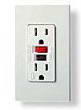
Overloaded GFI Outlet
Question: Chad, from Louisville, Kentucky asks:
I recently installed a new electrical outlet on a kitchen wall that previously had none. I basically ran the new wire down to our basement and tapped into an existing box that is running two additional outlets. I flipped the power on, plugged in the toaster oven and microwave and the clocks on both power up. However, when I run either of the two appliances, they tend to work for about 1-2 minutes and then stop. It doesn't trip the breaker, but the outlet simply quits working. Without doing anything, the outlet will turn itself back on after about 10 minutes or so (I know this as the clocks on the appliances power back up). I tried replacing the outlet with a GFI outlet and the same thing occurs only this time it does trip the GFI. Could it be the fact that I have plugged in two appliances that surge which is causing this to happen? Why would they work for a bit and then stop but then work again? I am very confused. Thanks. Chad
Answer: My first thought is to identify the circuit that you have tapped into and find out where that circuit originates from and if there could be any problems occurring with that circuit. As for the GFCI outlet, I have experienced where GFI outlets can act like a circuit breaker if the load that is passing though is too great. GFCI outlets do not do well when they are overloaded. You have not mentioned, but it may be that the GFI outlet is rated for 15 amps and the circuit is actually a 20 amp circuit. If this is the case then installing a 20 amp rated GFI outlet may solve the problem. Dave
How Many Outlets Can Connect to the first GFCI Outlet
Question: Using the feed through method, is there a limit on either the number of downstream receptacles or the distance beyond the GFCI outlet?
Answer: You can add any reasonable number of outlets, the concern is to stay within the amperage load of the circuit, distance is not a problem as long as your under 200 feet, depending on the connected types of load placed on the circuit. Dave
Double Quad Outlets Protected by GFCI
Question:This feed through is really good, but how would I wire it if it were a quad with a GFCI in the first position to protect all 3 standard down stream outlets? I would like to put in two quads. Would it be Line in from feed to GFCI, load out to second outlet (standard - non GFCI)in same box; then wire out from this standard non-GFCI to the second quad (2x standard non-GFCI)? Do I just use short wires to connect the outlets in each quad together? Thanks, Dan
Answer: Yes Dan, It's basically the same wiring as shown except that you are wiring the LOAD side out to all your outlets and they may be connected by making jumper wires or tails from each set to one connection for the LOAD Set of wires.
The Difference between a 15 Amp and 20 Amp GFCI
Question: Rob asks: How can I tell if the GFI outlet is a 15 or 20 amp outlet? Does it say on the outlet?
Answer: Yes - the GFCI Outlet should have a label or impression which states the voltage and amperage. You will also notice that on a 20 amp GFCI Outlet the left or neutral plug opening will have both the vertical and horizontal opening for a 20 amp plug. You may notice that with some brands of 15 amp GFCI Receptacles have a 20 amp rated feed through, therefore a 15 amp GFCI receptacle may be installed on a 20 amp circuit.
GFI Outlets Feeding Other Outlets
Question: Charlie Asks: I have seen the square outlets that have the same shape as a GFI. When installing downstream outlets from a GFI should these be used? This is new construction in Indiana. Thanks Charlie.
Answer: Dave's Reply: The square design that you are referring to for the other outlets is just a different decorative design and really does not have any significance to GFCI protection that is provided by the GFI outlet. The design of the GFI outlet was adopted most likely because of the extra space that was needed for the ground fault circuit components.
Hot Tub on a GFCI Outlet Circuit
Question: I hooked a GFCI receptacle to an existing circuit and it trips every once in a while. The GFCI is rated for 20 amps and it is protecting my new 12 amp hot tub. I replaced the GFCI, but still getting occasional tripping of the GFCI! Could the new hot tub be a lemon? Steve
Answer: Keep in mind that the existing circuit rating should be identified. Check to see if the hot tub requires it's own dedicated circuit. Sharing a circuit with a hot tub could cause nuisance tripping of a GFCI outlet if the circuit is loaded up to capacity. The hot tub could be tested for possible inconsistencies, and it may help to search for feedback about the reliability of the unit as well. Dave
More about Wiring GFCI Outlets
Fully explained wiring instructions complete with a picture series of GFCI installations and wiring diagrams can be found here…
How to Safely Wire GFCI Outlets: Creating a Copper Pig Tail with Aluminum Wire, Working with Aluminum Wire, Splicing Aluminum Wire, Anti-Corrosion Ointment for Aluminum Wire, Attaching Aluminum Wire, AL/CU Rated Outlets and Switches.
Fully explained wiring instructions complete with a picture series of an installation and wiring diagrams can be found here in the GFI and Light Switch area here in this website. Just click the Wiring Diagrams…
How to Wire a GFCI Outlet with a Switch – There are a few different methods that are used to wire GFI Outlets but all start with locating the Line side of the GFCI Receptacle where the power source is attached as described.
Electrical Protection Requirements for a Hairdryer Near a Sink – Keep in mind that if this outlet will be within 6 feet of a sink then the outlets require GFI protection.
Electrical Questions about GFCI Feed Through Wiring Method
Electrical Question:
Why is the GFCI tester indicating that the Hot and neutral are reversed?
Robert a Handyman from San Anselmo, California asks:
We have wired thru a bathroom GFI out to a garage. Somewhere between the GFI and the wire in the garage the wiring has changed from Romex to the old style with 3 black stranded wire. I tried to wire a GFI into this wire making sure the hot went into the hot terminal, and determining that another wire was the neutral, and the third being the ground. When I install the GFI this way the tester shows that it is installed correctly until we push the GFI test button on the tester and then it says that the Hot and neutral are reversed. When you reverse these wires it still indicated that the hot and neutral are reversed. Any ideas?
Answer:
Make sure to verify the circuit wiring as it changes from Romex to the old style wiring. It would be best to replace the older wiring and upgrade the GFCI circuit.
|